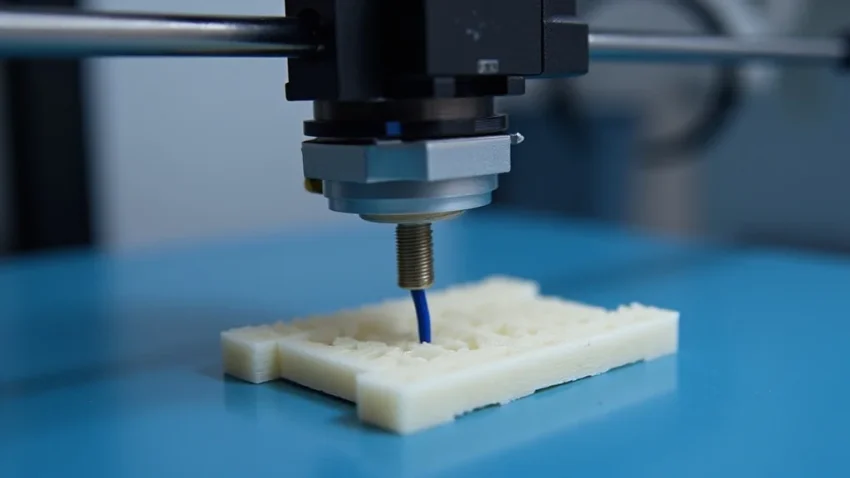
Ever get frustrated when your 3D print starts to look like a pancake instead of the cool model you designed? That’s when the 3D printer z axis comes into play! Imagine trying to build a LEGO castle without the ability to stack the bricks; the z axis is what allows your printer to build upwards, layer by layer, creating the three-dimensional objects you crave. In this guide, we’ll explore everything about the 3D printer z axis, from what it is to how it works. You will discover practical ways to improve your prints. This will boost your confidence and reduce printing issues.
Key Takeaways
- The z axis is responsible for the vertical movement of the 3D printer’s print head.
- You’ll learn about different types of z axis designs, like leadscrews and belts.
- Discover the critical role of the z axis in print quality and precision.
- Common issues that affect the z axis, like bed leveling and layer shifting, are covered.
- You will find practical tips to maintain and troubleshoot your 3D printer z axis.
- Optimize your prints by understanding z axis calibration and settings.
What Is the 3D Printer Z Axis?
The 3D printer z axis is the system within your 3D printer that controls the vertical movement of the print head or the print bed, depending on the printer’s design. Think of it as the elevator of your 3D printer. Without the z axis, your printer could only move in two dimensions – back and forth (x axis) and side to side (y axis) – but it couldn’t build anything with height. The z axis is crucial for building three-dimensional objects, adding layers of melted plastic or other materials on top of each other to create the final product.
This vertical movement is precisely controlled, allowing the printer to add each layer of material at the correct height, and ensuring that each layer adheres properly to the previous one. This precision is essential for the accuracy and overall quality of your 3D prints, whether it’s a small figurine or a large functional part. The z axis coordinates all vertical movement and is pivotal to a print job’s success.
Components of the Z Axis
Several components work together to make the z axis function. These components can vary based on the printer’s design, but the primary parts include the leadscrew (or sometimes belts), the stepper motor, bearings, and structural supports. Understanding each component’s role helps when troubleshooting issues and maintaining your printer.
- Leadscrew or Belt: The leadscrew is a threaded rod that converts the rotational motion of the stepper motor into linear motion, moving the print head or bed up and down. Some printers use belts and pulleys for z axis movement, offering potentially faster movement but possibly less precision. The leadscrew’s pitch (the distance between threads) influences the z axis’s resolution, affecting how accurately the printer can move vertically. The use of a belt design, by contrast, gives speed but trades some precision.
- Stepper Motor: A stepper motor precisely controls the z axis’s vertical movement by rotating the leadscrew or driving the belt system. Stepper motors move in small, discrete steps, allowing for precise control of the print head or bed’s position. The motor’s step size influences the resolution of the z axis, and the driver settings control the motor’s power.
- Bearings: Bearings allow the z axis components to move smoothly. These bearings reduce friction and ensure the print head or bed moves up and down without any binding or wobbling. Poor-quality or worn bearings can cause imperfections in your prints. This may result in uneven layers or inaccurate dimensions.
- Structural Supports: The frame and supporting structures are crucial for the z axis’s stability. These components support the leadscrew, stepper motor, and other parts, keeping everything aligned and preventing any unwanted movement. A stable frame is essential to maintain accurate z axis movement. A flimsy structure can result in layer shifting or other print defects.
The Importance of Z Axis Calibration
Proper calibration is essential for getting high-quality 3D prints. When your z axis is accurately calibrated, the first layer adheres to the build plate correctly, and subsequent layers stack neatly on top of each other. Incorrect calibration can lead to several printing problems, including poor bed adhesion, gaps between layers, and dimensional inaccuracies.
- Bed Leveling: Leveling the print bed relative to the nozzle is the first step in z axis calibration. The distance between the nozzle and the bed must be consistent across the entire surface. If the bed is too close, the nozzle can scratch the bed or block the flow of material. If it is too far, the first layer may not stick. Many printers have auto-bed leveling systems, which use sensors to automatically measure the bed’s surface and adjust the z axis accordingly.
- Z Offset Adjustment: The z offset is the distance between the nozzle and the bed when the printer is at the starting position. This setting is usually adjusted during the first layer to ensure the nozzle is at the correct height. If the z offset is incorrect, the first layer will be either squished or too far away from the bed. This could cause the print to fail.
- Z Steps Calibration: Calibrating the z steps involves confirming that the z axis moves the correct distance for each step of the stepper motor. This calibration is usually done by measuring how much the print head moves when the z axis is commanded to move a certain distance. The result of the calibration is entered in the printer’s firmware to ensure the correct vertical movement.
Types of Z Axis Designs
Several z axis designs are used in 3D printers, each with its advantages and disadvantages. The leadscrew design is the most common, but other systems like belt-driven z axes and dual z axis setups are also found in various printer models. Understanding these different designs can help you choose the right printer for your needs and maintain its performance.
The choice of z axis design often depends on the printer’s cost, target print speed, and precision requirements. For example, a hobbyist-grade printer might use a single leadscrew setup due to its simplicity and cost-effectiveness. In contrast, higher-end printers used in professional settings may use dual leadscrews or more complex designs to achieve higher precision and reliability.
Leadscrew Based Systems
Leadscrew-based systems are the most common z axis design, and they are favored for their simplicity, reliability, and precision. A leadscrew is a threaded rod that converts the motor’s rotational motion into linear motion. As the motor turns, the leadscrew rotates, causing the print head or bed to move up or down. These systems are typically cost-effective and easy to maintain.
- Single Leadscrew: A single leadscrew is the simplest design. A single leadscrew is used to lift the print bed or move the print head. This design is common in entry-level printers due to its simplicity and affordability. While effective, a single leadscrew can be prone to wobbling, particularly on larger print beds, which may affect print quality.
- Dual Leadscrews: Dual leadscrews use two leadscrews, one on each side of the print bed or gantry, to provide support and stability. This design is often used in larger printers. It helps to prevent wobbling and ensures that the print bed or head stays level. It’s more complex than a single leadscrew setup, but it results in better print quality, especially for tall objects.
- Trapezoidal Leadscrews: Trapezoidal leadscrews are designed with a specific thread shape that is more resistant to wear. They are often used in 3D printers. This design can provide a longer lifespan and more consistent performance compared to other thread types.
Belt-Driven Z Axis Systems
Belt-driven z axis systems use belts and pulleys to move the print head or bed. These systems can often achieve faster vertical movement than leadscrew-based systems. They are often used in printers that prioritize speed. The main benefit of a belt-driven system is potentially higher print speeds. However, precision and rigidity can be slightly compromised.
- Faster Print Speeds: Belts can move faster than leadscrews, allowing for faster vertical movement of the print head or bed. This can lead to shorter print times.
- Potential for Less Precision: Belts can stretch and flex more than leadscrews. This can lead to a slight reduction in precision. It can also increase the chances of print defects.
- Requires Careful Tensioning: Proper belt tensioning is essential for optimal performance. Belts that are too loose can slip, leading to layer shifting. Belts that are too tight can wear out prematurely.
Common Problems and Solutions
Like any mechanical system, the 3D printer z axis can encounter problems that affect print quality. Common issues include layer shifting, bed leveling problems, z wobble, and binding. Addressing these issues will allow you to improve print quality and prevent failed prints.
Many of these problems can be resolved with simple adjustments, maintenance, and calibration. Understanding the causes of these problems can help you identify and correct them quickly. This will allow you to get back to printing with minimal disruption.
Layer Shifting
Layer shifting is a common problem where the layers of a 3D print are not aligned correctly. This can manifest as an offset in the x and y directions or as a sudden change in the z-axis height. Several factors can cause layer shifting, including issues with the z axis.
- Loose Z Axis Components: Loose belts, leadscrews, or other components can cause the z axis to lose synchronization, leading to layer shifting. Tightening these components can resolve the issue.
- Stepper Motor Problems: A stepper motor that is skipping steps can also cause layer shifting. Check the motor drivers, the motor’s power supply, and make sure the motor is not being overloaded.
- Overheating: If the motors or drivers overheat, it can cause the stepper motor to malfunction and cause layer shifting. Ensuring adequate cooling of these components is crucial.
- Obstructions: Obstructions, such as a tangled filament or a nozzle colliding with the print, can cause the z axis to skip steps or shift layers. Clearing any obstructions can resolve this issue.
Bed Leveling Issues
Bed leveling is critical to the success of your 3D prints. Bed leveling issues often cause the first layer of a print to fail. This is typically a result of the nozzle being too close or too far away from the bed. A well-leveled bed ensures proper adhesion and a smooth first layer. The z axis is deeply involved in leveling.
- Manual Bed Leveling Problems: Manually leveling the bed can be challenging, as it requires careful adjustment of the bed’s leveling screws. Using a leveling gauge can help achieve the correct nozzle distance.
- Automatic Bed Leveling Problems: Automatic bed leveling systems use sensors to measure the bed’s surface and automatically adjust the z axis. Issues with these systems can arise if the sensor is not calibrated correctly, is blocked, or is not functioning. Re-calibrating or replacing the sensor may be needed.
- Warped Bed: A warped bed can cause leveling problems, especially if the warp is significant. Using a glass bed, or making adjustments to compensate for the warp, can help mitigate this.
Z Wobble and Binding
Z wobble is a periodic defect that appears as wavy lines or bands on the surface of a 3D print, especially in the z direction. It is often caused by imperfections in the z axis components. Binding, the resistance of the z axis to move freely, can also cause print defects.
- Leadscrew Issues: Bent leadscrews or leadscrews that are not perfectly straight can cause z wobble. Replacing the leadscrew can resolve this problem.
- Misalignment: Misalignment of the leadscrew, stepper motor, or other components can cause binding. Ensuring proper alignment can help.
- Bearing Problems: Worn or poor-quality bearings can cause binding and z wobble. Replacing the bearings can help.
- Lubrication: Insufficient lubrication of the leadscrew and other moving parts can cause binding. Proper lubrication is essential.
Maintenance and Troubleshooting
Regular maintenance is essential to keep your 3D printer running smoothly and prevent problems with the z axis. This includes routine checks, cleaning, and lubrication. Following a maintenance schedule can help you catch problems early and maintain your printer’s reliability.
When problems occur, troubleshooting can help you identify the root cause and implement the correct solution. By understanding these maintenance and troubleshooting techniques, you can ensure your 3D printer continues to produce high-quality prints.
Regular Maintenance Tasks
Regular maintenance can prevent problems. This includes cleaning and lubricating moving parts, checking the alignment of the z axis components, and inspecting the machine for wear and tear.
- Cleaning the Leadscrew: Regularly clean the leadscrew with a soft brush or cloth to remove any debris or filament fragments. This will help maintain smooth operation.
- Lubricating the Leadscrew: Apply a small amount of lubricant, such as a lithium-based grease, to the leadscrew to reduce friction and wear. Avoid using excessive amounts of lubricant, as it can attract debris.
- Checking Belt Tension: Check the tension of the z axis belts periodically and adjust if necessary. Loose belts can cause layer shifting, and overly tight belts can cause premature wear.
Troubleshooting Common Issues
When print defects arise, systematic troubleshooting can help you identify the source of the problem. Start by examining the print for signs of problems. Then, you can narrow down the potential causes.
- Layer Shifting: If layer shifting is observed, check the belt tension, leadscrew alignment, and stepper motor drivers. Ensure that the motor drivers are not overheating.
- Uneven Layer Lines: If layers are not uniform, check the leadscrew for any bends or misalignment. Ensure the bearings are not worn or binding.
- Poor Bed Adhesion: If the first layer isn’t sticking, ensure the bed is leveled correctly and the z offset is accurate. Check the bed temperature.
Advanced Z Axis Settings and Calibration
Mastering advanced z axis settings and calibration will allow you to fine-tune your printer’s performance for optimal print quality. This includes adjusting z steps per mm, calibrating the z offset, and understanding the impact of acceleration settings.
Using advanced settings properly can help you address specific print defects. This can include improving resolution, and minimizing layer imperfections. These measures will improve the overall performance of your printer.
Adjusting Z Steps Per Millimeter
The z steps per millimeter setting controls how precisely the z axis moves. This setting determines how many steps the stepper motor must take to move the print head or bed a specific distance. When calibrated correctly, this setting ensures accurate vertical movement and print height.
- Finding the Correct Value: The correct steps per mm value depends on the leadscrew’s pitch and the stepper motor’s step angle. The formula is: (Motor Steps Per Rotation Microsteps) / Leadscrew Pitch. For example, if your motor has 200 steps per revolution, your micro-stepping is set to 16, and your leadscrew pitch is 2 mm, the formula would be (200 16) / 2 = 1600 steps/mm.
- Calibration Process: Measure the distance the z axis moves after commanding a specific movement, typically 10mm or 100mm. Compare the actual movement with the commanded movement. Adjust the z steps per mm in the printer’s firmware to correct any discrepancies.
- Fine-Tuning for Quality: Correct z steps per mm is essential for accurate layer height and overall print dimensions.
Calibrating the Z Offset
The z offset is the distance between the nozzle and the print bed when the printer is at the starting position. This setting is critical for the first layer adhesion. The z offset must be adjusted correctly so that the first layer adheres to the build plate. Too close, and the nozzle will scrape and damage the print bed. Too far, and the filament won’t stick.
- Initial Adjustment: Most printers have a method for setting the z offset. The print head or bed will move to a specific position. Use the printer’s interface to manually adjust the z offset until the nozzle is the correct distance from the bed. A piece of paper can be used as a gauge.
- First Layer Inspection: Print a small test print, like a single-layer square, and inspect the first layer. If the lines are too thin or translucent, increase the z offset. If the nozzle is scraping the bed, reduce the z offset.
- Fine-Tuning: Make small adjustments to the z offset until you achieve a first layer that is uniform and adheres well to the build plate.
Acceleration and Jerk Settings
Acceleration and jerk settings influence the speed at which the z axis moves. They affect print quality, particularly at the beginning and end of each layer. Incorrect settings can cause layer shifting, vibrations, and other print defects.
- Understanding Acceleration: Acceleration determines how quickly the z axis reaches its maximum speed. Setting too high of an acceleration value can cause vibrations and print defects.
- Understanding Jerk: Jerk defines the suddenness of the z axis’s movement. Higher jerk values mean the z axis can start and stop more abruptly. This can introduce vibrations and noise.
- Calibration and Adjustment: Experiment with different acceleration and jerk settings to find the optimal values for your printer. Start with lower values and gradually increase them until you see print quality improvements without introducing any defects.
Common Myths Debunked
Myth 1: Higher Z Axis Speeds Always Lead to Faster Prints
While faster z axis speeds can reduce overall print time, they can also negatively affect print quality. Exceeding the optimal speed for your printer can lead to layer shifting, ringing, and other print defects. It’s more effective to find a balance between speed and quality.
Myth 2: Any Leadscrew Will Work for Any 3D Printer
Not all leadscrews are created equal. The leadscrew’s pitch, diameter, and material can impact performance and print quality. Using an incompatible leadscrew can lead to print defects. Choosing the proper leadscrew for your printer’s specifications is key.
Myth 3: Z Wobble Is Always Caused by a Bent Leadscrew
While a bent leadscrew can cause z wobble, it’s not always the root cause. Other factors, like loose components, misalignment, or worn bearings, can contribute. Always examine all aspects of the z axis before replacing parts.
Myth 4: Automatic Bed Leveling Solves All First Layer Problems
Automatic bed leveling systems automate the bed-leveling process. They can significantly improve first-layer adhesion, but they aren’t a foolproof solution. You still need to calibrate the z offset correctly and ensure that the bed’s surface is clean and free of any issues.
Myth 5: Lubricating the Leadscrew Always Improves Print Quality
Lubricating the leadscrew is beneficial, but using too much lubricant can attract debris. Debris can degrade performance. Using the right type and amount of lubricant is important. The correct lubrication will help with smooth movement.
Frequently Asked Questions
Question: What is the z offset?
Answer: The z offset is the distance between the nozzle and the print bed when the printer is at the starting position.
Question: How do I calibrate the z steps per mm?
Answer: Measure the distance the z axis moves, command a specific movement, and adjust the printer’s firmware to correct discrepancies.
Question: What causes layer shifting?
Answer: Layer shifting can be caused by loose components, stepper motor problems, overheating, or obstructions.
Question: How can I fix z wobble?
Answer: Check for bent leadscrews, misalignment, worn bearings, and insufficient lubrication.
Question: What are the best practices for lubricating the leadscrew?
Answer: Clean the leadscrew, and apply a small amount of lithium-based grease.
Final Thoughts
Mastering the 3D printer z axis is vital for any maker who wants to produce great prints. From understanding its core components and functions to recognizing the critical role it plays in your printing process, a thorough grasp of the z axis equips you to address common problems and fine-tune your prints. Understanding the different designs allows you to make informed decisions about your printer’s setup and maintenance, while proper calibration and routine checks are the cornerstones of consistent, high-quality prints. Don’t be afraid to experiment with settings and practice; each successful print will strengthen your abilities.